PDF Converter
Convert documents and images to and from PDF format with high accuracy.
Runs entirely in your browser — your files never leave your device
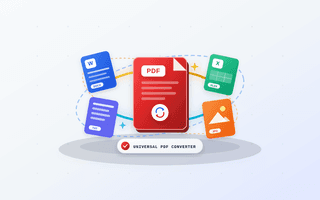
Universal PDF Multi-Format Converter
Upload a document file or edit the live content directly below
About this tool
Multi-format conversion pipeline supporting image-to-PDF synthesis, text-to-PDF rendering, and PDF rasterization to image formats with customizable DPI settings.
How to use it
- 1Select your source document or file.
- 2Choose your desired target format (JPG, PNG, PDF, TXT).
- 3Click Convert to execute format translation.
- 4Download your converted file instantly.
Why use PDF Converter?
100% Client-Side Privacy
Files and data are processed locally on your machine with zero server uploads.
No Size or Usage Limits
Use this tool as many times as you need without signup or restrictions.
Lightning Fast Execution
Hardware-accelerated processing provides instant real-time results.
Everything You Need to Know About PDF Converter
PDF Converter is a flagship utility in ToolNami's PDF Tools suite, engineered to deliver studio-grade accuracy, instant responsiveness, and uncompromising data privacy. Multi-format conversion pipeline supporting image-to-PDF synthesis, text-to-PDF rendering, and PDF rasterization to image formats with customizable DPI settings.
Traditional online utilities force you to upload confidential files, proprietary source code, or personal documents to third-party cloud servers where they are queued, logged, or throttled behind paywalls. By contrast, ToolNami's PDF Converter executes directly inside your browser's hardware-accelerated sandbox using modern WebAssembly, HTML5 Canvas, Web Crypto, and ES2024 standards.
Whether you are processing a single quick task on a mobile device or running a multi-step professional pipeline on a desktop workstation, PDF Converter provides deterministic output with zero watermarks, zero daily quotas, and zero account lock-in. Every parameter is tunable in real time so you can inspect, verify, and export your exact desired format immediately.
Multi-format conversion pipeline supporting image-to-PDF synthesis, text-to-PDF rendering, and PDF rasterization to image formats with customizable DPI settings.
ToolNami's PDF Converter is designed to be 100% private, ultra-fast, and completely free. Unlike legacy web tools that require you to upload confidential data to remote cloud servers, our architecture runs directly within your modern web browser using client-side WebAssembly, JavaScript, and HTML5 APIs.
Whether you are a developer, designer, student, accountant, or business professional, this tool streamlines your daily workflow with zero software installations, zero credit card requirements, and zero usage limits.
Under-the-Hood Architecture & Privacy Safeguards
Real-World Industry Use Cases
How teams and professionals use PDF Converter in daily production workflows:
Use PDF Converter to prepare contracts, NDAs, and court filings for secure email delivery or e-filing portals without exposing sensitive client clauses to external cloud servers.
Organize lecture slides, thesis chapters, and scanned assignments to meet strict university portal upload size limits in seconds.
Consolidate monthly bank statements, tax receipts, and audit trails into clean, password-protected or page-numbered archival packages.
Package design portfolios, brand guidelines, and client invoices into lightweight, mobile-friendly PDF deliverables.
Technical Specifications
Verified performance and security parameters for PDF Converter:
- •Use ToolNami's "Wide View" button in the workspace toolbar above to expand PDF Converter across your full monitor width when working with large files or side-by-side data.
- •Open the "Scratchpad" drawer in the top toolbar to pin intermediate numbers, snippets, or notes while chaining PDF Converter with other tools in your workflow.
- •Press ⌘K (or Ctrl+K) at any time to jump directly from PDF Converter to any of ToolNami's 100 utilities without losing your saved scratchpad notes.
- •Click the "Save" heart button in the header to bookmark PDF Converter to your personal quick-access bar and Dashboard.
Got questions? We've got answers
PDF Converter — User Reviews & Ratings
Real feedback from developers, designers, and professionals using PDF Converter.
Best free PDF Converter I have used—100% private and instant!
I use PDF Converter almost every day for my client deliverables. The fact that everything runs locally in the browser without uploading sensitive files to external servers is a huge win. Zero watermarks and super clean output.
Replaced paid desktop software for our PDF Tools workflow
We bookmarked PDF Converter across our entire team. Wide View mode and the built-in scratchpad make it effortless to process tasks side-by-side without any sign-up walls or daily limits.
Lightning fast on both laptop and mobile browser
Tested PDF Converter on Chrome and mobile Safari—it completed in less than a second. The step-by-step instructions and technical breakdown below the tool are also super helpful.
Very reliable and clean interface without annoying popups
Most online tools are cluttered with fake download buttons, but ToolNami's PDF Converter is straightforward, fast, and accurate. Highly recommended for daily work.
Related tools you might need next
PDF Compressor
Reduce PDF file size while maintaining quality — free, instant and fully private.
Image Compressor
Compress images without noticeable quality loss — fast, lossy & lossless presets.

QR Code Generator
Create customizable, high-resolution QR codes instantly for URLs, WiFi, and text.